Cinder is coming soon. The app isn’t available to download yet. Google Play and App Store releases are on the way.
How-to guides Step-by-step help for every feature, each as a printable PDF. Download the all-in-one PDF
Prefer video? Watch the walkthrough .
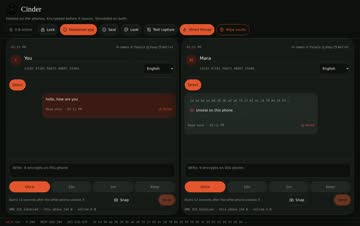
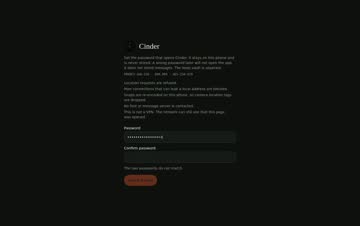
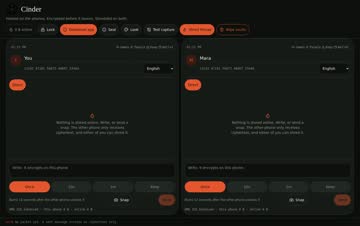
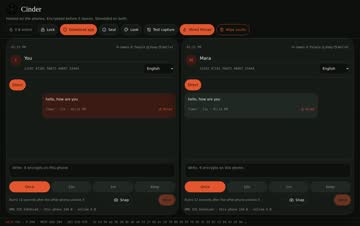
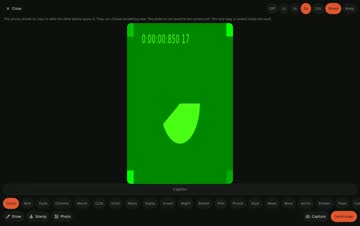
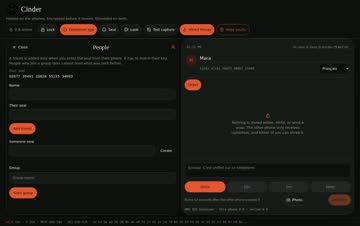
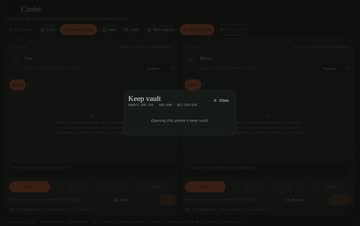
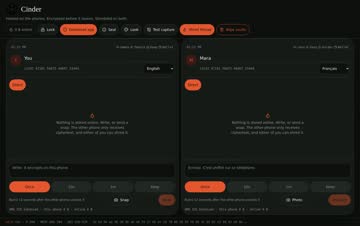
Set your launch password Launch seal (0:25) Lock and unlock (0:23) Open Cinder. The first screen asks you to create a launch password. Type a strong password. The strength check tells you if it's too weak. Confirm it, then tap Seal and open . This password encrypts everything Cinder stores. There is no reset. If you forget it, the data can't be recovered. Next time, enter the same password to unlock. Wrong guesses add a growing delay. Download PDF Send and open a sealed note What is Cinder? (0:57) Pick a conversation and type your note. Tap send. The note appears as a sealed box. Tap Unseal on this phone to read it. Today both ends of a conversation live on the same device (demo mode). Phone-to-phone delivery is coming soon. Download PDF Translate a message Translate (0:26) Open a received note. Choose translate and pick your language. The translation shows on top and the original stays underneath, so nothing is lost. Download PDF Shred messages Shred (0:20) Open the message you want gone. Tap Shred . It deletes this phone's copy. Shredding on both phones will come with two-phone messaging. Download PDF Snap: the in-app camera Snap (0:28) Tap Snap . Only now does Cinder ask for camera permission. Take a photo and add a filter if you like. Set a burn timer so the snap destroys itself after viewing. Snaps never go to your camera roll. They're re-encoded, so location tags are removed. Download PDF People and groups Full tour (People is near the end) (2:45) Open People . Add a friend using their seal. Create a group and add members. People who join later can't read messages sent before they joined. Download PDF Games Games (1:19) Open Games . Choose chess, Crazy Eights or Go Fish. Play against your contact in the conversation. Download PDF Keep: the private vault Keep vault (0:20) Open Keep and set a second, separate password. Store private notes and items inside. Warning: too many wrong tries shred the vault's contents for good. Download PDF Install on Android or Fire tablet Cinder isn’t available to download yet. When it launches, get it from Google Play (Android) or the Download page (Fire tablet). Android: allow your browser or Files app to install unknown apps when asked. Fire: Settings → Security & Privacy → Apps from Unknown Sources, then allow Files or Silk. Open the APK and tap Install. If an old copy won't upgrade, uninstall it first. iPhone and iPad: coming soon. Download PDF
Privacy policy · Terms
© 2026 Cinder. No trackers, no analytics, no third-party scripts.
Google Play and the Google Play logo are trademarks of Google LLC. Apple, the Apple logo and iPhone are trademarks of Apple Inc., registered in the U.S. and other countries and regions. App Store is a service mark of Apple Inc.